

WebGL Procedural Lattice
WebGL Procedural Lattice
WebGL Procedural Lattice
A real-time shader flying through an infinite field of wireframe cube frames. I was inspired by transmission towers and their repeating scaffolding geometry you see when looking straight up through one.
Built on sphere tracing and signed distance functions, with Lambert diffuse lighting, GGX specular, and a secondary surface march that fakes translucency at frame joints. Bloom and vignette are then added as post-processing.
No meshes, no textures, all geometry is defined mathematically.
A real-time shader flying through an infinite field of wireframe cube frames. I was inspired by transmission towers and their repeating scaffolding geometry you see when looking straight up through one.
Built on sphere tracing and signed distance functions, with Lambert diffuse lighting, GGX specular, and a secondary surface march that fakes translucency at frame joints. Bloom and vignette are then added as post-processing.
No meshes, no textures, all geometry is defined mathematically.
A real-time shader flying through an infinite field of wireframe cube frames. I was inspired by transmission towers and their repeating scaffolding geometry you see when looking straight up through one.
Built on sphere tracing and signed distance functions, with Lambert diffuse lighting, GGX specular, and a secondary surface march that fakes translucency at frame joints. Bloom and vignette are then added as post-processing.
No meshes, no textures, all geometry is defined mathematically.
Type
GLSL, Shadertoy, Lattice
Type
GLSL, Shadertoy, Lattice
Frame Time
115 - 120 FPS
Frame Time
115 - 120 FPS
Figure 1: Video Demonstrating Infinite Lattice (running in Shadertoy)
Figure 1: Video Demonstrating Infinite Lattice (running in Shadertoy)
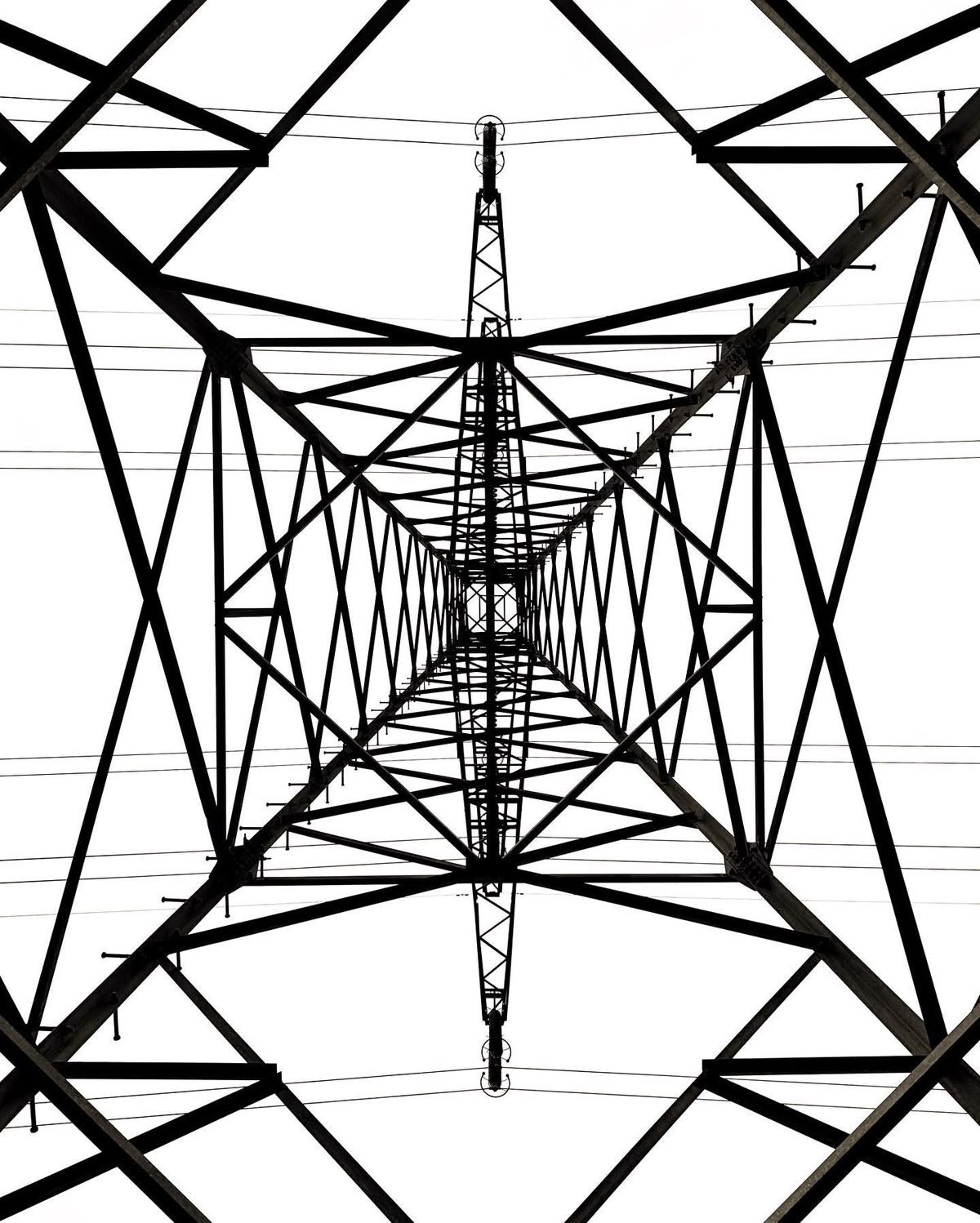
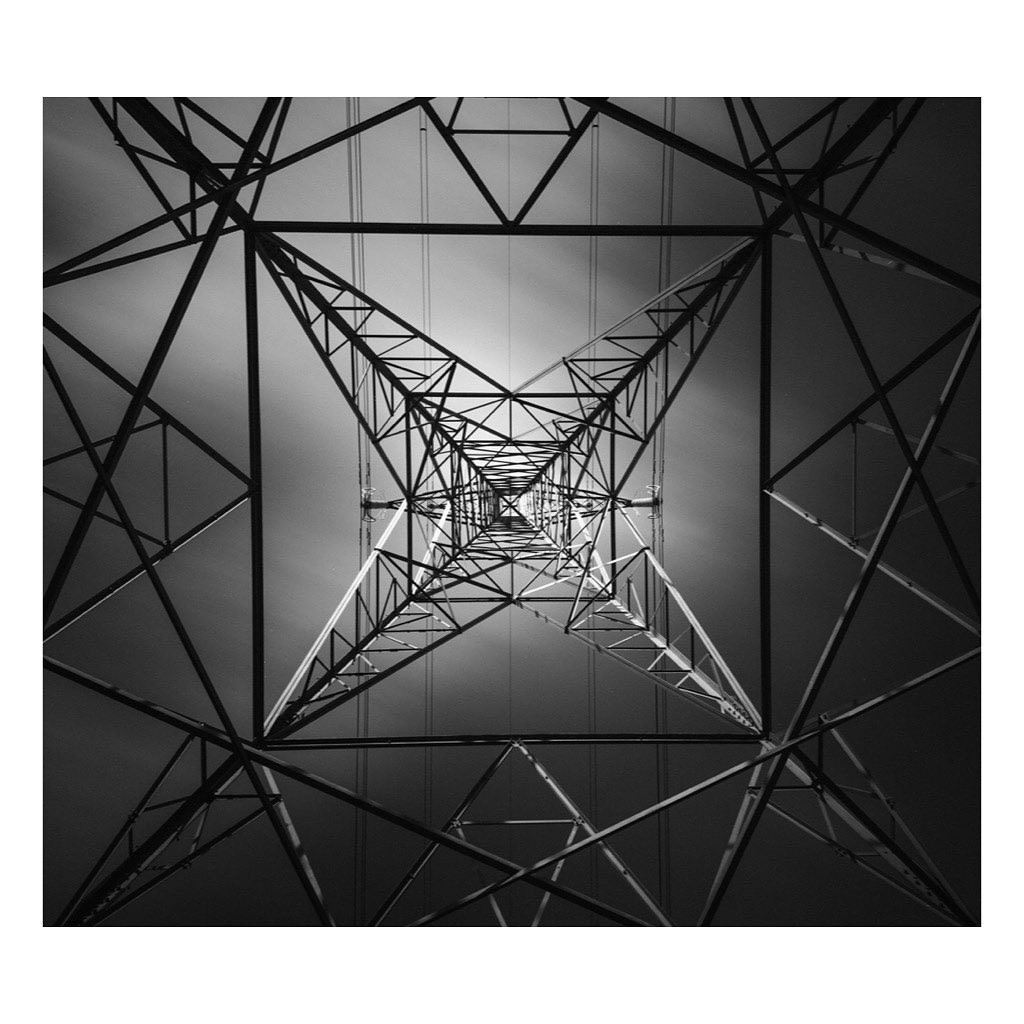
Figure 2: Inspiration images (sourced from Cosmos.os)
Figure 2: Inspiration images (sourced from Cosmos.os)
Raytracing Foundation
Raytracing Foundation
A signed distance field defines geometry through implicit formulas rather than meshes. The ray steps forward until it gets close enough to a implied surface. The visualization shows this directly, red is the surface boundary, white is inside, blue is outside. From there normals are approximated using finite differences and Lambert diffuse lighting is applied.
The section also compares ray marching against sphere tracing. Sphere tracing uses the SDF value itself as the step size, so when geometry is far away the ray takes large jumps and smaller ones as it closes in. Same result as a standard ray marcher, but in significantly fewer steps.
A signed distance field defines geometry through implicit formulas rather than meshes. The ray steps forward until it gets close enough to a implied surface. The visualization shows this directly, red is the surface boundary, white is inside, blue is outside. From there normals are approximated using finite differences and Lambert diffuse lighting is applied.
The section also compares ray marching against sphere tracing. Sphere tracing uses the SDF value itself as the step size, so when geometry is far away the ray takes large jumps and smaller ones as it closes in. Same result as a standard ray marcher, but in significantly fewer steps.
Figure 3: SDF value visualized on a Z-plane. Blue = positive (outside), red = zero (surface), white = negative (inside).
Figure 3: SDF value visualized on a Z-plane. Blue = positive (outside), red = zero (surface), white = negative (inside).
Figure 4: Surface normals approximated via finite difference. Each RGB channel encodes one axis of surface orientation.
Figure 4: Surface normals approximated via finite difference. Each RGB channel encodes one axis of surface orientation.
Figure 5: Lambert diffuse from a point light
Figure 5: Lambert diffuse from a point light
Figure 6: Ray marching cost: fixed step size, ~1500 iterations to converge. Brighter = more steps.
Figure 6: Ray marching cost: fixed step size, ~1500 iterations to converge. Brighter = more steps.
Figure 7: Sphere marching cost: SDF step size, ~100 iterations to converge. Brighter = more steps.
Figure 7: Sphere marching cost: SDF step size, ~100 iterations to converge. Brighter = more steps.
sdBoxFrame Geometry
sdBoxFrame Geometry
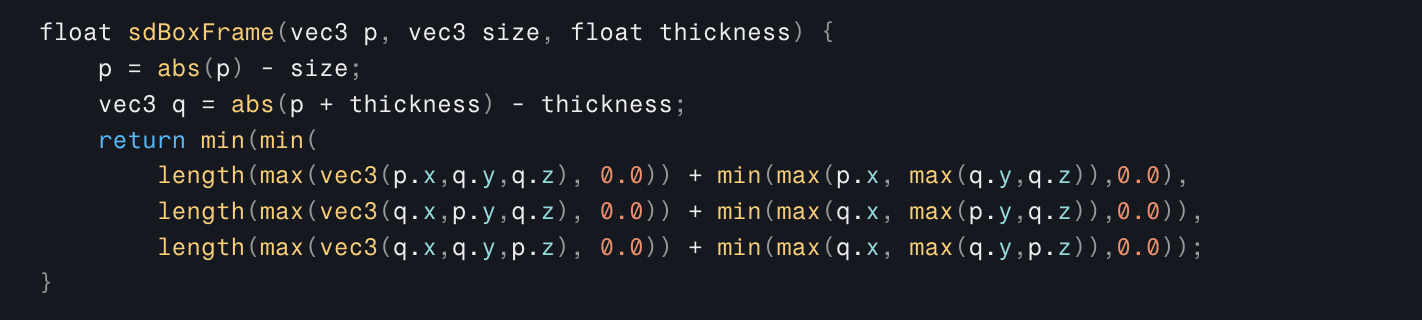
I replaced the sphere SDF with Inigo Quilez's box frame SDF instead, a cube with only its edges solid. The frame is tiled using domain repetition to create an infinite lattice from a single SDF evaluation. A second smaller scale rotated 45 degrees sits inside each cell, producing the nested diamond look.
Box frame SDF sourced from Inigo Quilez's distance functions article.
https://iquilezles.org/articles/distfunctions/
I replaced the sphere SDF with Inigo Quilez's box frame SDF instead, a cube with only its edges solid. The frame is tiled using domain repetition to create an infinite lattice from a single SDF evaluation. A second smaller scale rotated 45 degrees sits inside each cell, producing the nested diamond look.
Box frame SDF sourced from Inigo Quilez's distance functions article.
https://iquilezles.org/articles/distfunctions/
float sdBoxFrame(vec3 p, vec3 size, float thickness) {
    p = abs(p) - size;
    vec3 q = abs(p + thickness) - thickness;
    return min(min(
        length(max(vec3(p.x,q.y,q.z), 0.0)) + min(max(p.x, max(q.y,q.z)),0.0),
        length(max(vec3(q.x,p.y,q.z), 0.0)) + min(max(q.x, max(p.y,q.z)),0.0)),
        length(max(vec3(q.x,q.y,p.z), 0.0)) + min(max(q.x, max(q.y,p.z)),0.0));
}
float sdBoxFrame(vec3 p, vec3 size, float thickness) {
    p = abs(p) - size;
    vec3 q = abs(p + thickness) - thickness;
    return min(min(
        length(max(vec3(p.x,q.y,q.z), 0.0)) + min(max(p.x, max(q.y,q.z)),0.0),
        length(max(vec3(q.x,p.y,q.z), 0.0)) + min(max(q.x, max(p.y,q.z)),0.0)),
        length(max(vec3(q.x,q.y,p.z), 0.0)) + min(max(q.x, max(q.y,p.z)),0.0));
}
Spatial Repitition
Spatial Repitition
Domain repetition works by folding every point in world space back into one cell before the SDF runs (like folding a piece of paper any number of times and drawing on top). Since the ray genuinely believes it is always inside that one cell, the geometry math only ever runs once per step regardless of how far the camera has traveled.
Domain repetition works by folding every point in world space back into one cell before the SDF runs (like folding a piece of paper any number of times and drawing on top). Since the ray genuinely believes it is always inside that one cell, the geometry math only ever runs once per step regardless of how far the camera has traveled.

float map(vec3 p) {

    // Twist along Z
    float angle = PI * sin(p.z * 0.15) + T * 0.25;
    R = mat2(cos(angle), sin(angle), -sin(angle), cos(angle));
    p.xy *= R;

    // Per cell unique random values
    float h  = hash(floor(p.x + p.y + p.z));
    float h2 = PI * hash(floor(-p.x - p.y - p.z));

    // Outer frame
    const float CELL = 1.0;
    vec3 p1 = mod(p, CELL) - CELL * 0.5;
    float frame_size = clamp(0.35 + 0.03 * h * (0.6 + 0.4 * sin(3.0 * T + h2)), 0.1, 0.46);
    float d   = sdBoxFrame(p1, vec3(frame_size), 0.028);

    // Inner frame (45 degrees rotated)
    const float CELL2 = 0.5;
    vec3 p2 = mod(p, CELL2) - CELL2 * 0.5;
    float sq = 0.7071; // cos(45) = sin(45) = 1/sq(2) = 0.7071
    p2.xy = mat2(sq, -sq, sq, sq) * p2.xy;
    float d2  = sdBoxFrame(p2, vec3(0.175), 0.016);

    return min(d, d2);
}
float map(vec3 p) {

    // Twist along Z
    float angle = PI * sin(p.z * 0.15) + T * 0.25;
    R = mat2(cos(angle), sin(angle), -sin(angle), cos(angle));
    p.xy *= R;

    // Per cell unique random values
    float h  = hash(floor(p.x + p.y + p.z));
    float h2 = PI * hash(floor(-p.x - p.y - p.z));

    // Outer frame
    const float CELL = 1.0;
    vec3 p1 = mod(p, CELL) - CELL * 0.5;
    float frame_size = clamp(0.35 + 0.03 * h * (0.6 + 0.4 * sin(3.0 * T + h2)), 0.1, 0.46);
    float d   = sdBoxFrame(p1, vec3(frame_size), 0.028);

    // Inner frame (45 degrees rotated)
    const float CELL2 = 0.5;
    vec3 p2 = mod(p, CELL2) - CELL2 * 0.5;
    float sq = 0.7071; // cos(45) = sin(45) = 1/sq(2) = 0.7071
    p2.xy = mat2(sq, -sq, sq, sq) * p2.xy;
    float d2  = sdBoxFrame(p2, vec3(0.175), 0.016);

    return min(d, d2);
}
Figure 8: with default Lambert Shading
Figure 8: with default Lambert Shading
Figure 9: with GGX Specular Implementation
Figure 9: with GGX Specular Implementation
GGX Specular + Subsurface Scattering Approximation
GGX Specular + Subsurface Scattering Approximation
Lambert shading felt too flat for this scene. Transmission towers are made of metal and the way light catches on edges and angles is a big part of what makes them visually interesting. So in replacing the Lambert with GGX microfacet specular, we are left with a hard metallic sheen.
That still felt too clean so a subsurface approximation was added on top. When the ray hits a surface, a secondary march goes backwards through the geometry measuring how far it travels before exiting. Thinner parts = more light, thicker parts = less light.
GGX implementation sourced from Filmic Worlds.
http://filmicworlds.com/blog/optimizing-ggx-shaders-with-dotlh/
Lambert shading felt too flat for this scene. Transmission towers are made of metal and the way light catches on edges and angles is a big part of what makes them visually interesting. So in replacing the Lambert with GGX microfacet specular, we are left with a hard metallic sheen.
That still felt too clean so a subsurface approximation was added on top. When the ray hits a surface, a secondary march goes backwards through the geometry measuring how far it travels before exiting. Thinner parts = more light, thicker parts = less light.
GGX implementation sourced from Filmic Worlds.
http://filmicworlds.com/blog/optimizing-ggx-shaders-with-dotlh/
Figure 10: GGX Specular + Subsurface Approximation (115 - 120 FPS)
Figure 10: GGX Specular + Subsurface Approximation (115 - 120 FPS)
Color + Post Processing
Color + Post Processing
Color is driven by the hit position in world space. The X, Y and Z coordinates of the hit point are each multiplied by small numbers and summed into a single float, then passed through a sin function to get a smooth 0 to 1 value. That value maps between white and blue across the scene and shifts slowly over time giving the drifting color gradient.
Bloom works by isolating pixels above a brightness threshold (I used 0.6) Anything below that gets cut to zero, the remaining values are squared (along with an optional scalar for more visibility) to create a soft falloff, then added back on top of the image additively.
The vignette darkens toward the screen edges by measuring each pixel's distance from the center. Pixels further out get multiplied down toward black, and the same edge mask is used to desaturate toward grey
Color is driven by the hit position in world space. The X, Y and Z coordinates of the hit point are each multiplied by small numbers and summed into a single float, then passed through a sin function to get a smooth 0 to 1 value. That value maps between white and blue across the scene and shifts slowly over time giving the drifting color gradient.
Bloom works by isolating pixels above a brightness threshold (I used 0.6) Anything below that gets cut to zero, the remaining values are squared (along with an optional scalar for more visibility) to create a soft falloff, then added back on top of the image additively.
The vignette darkens toward the screen edges by measuring each pixel's distance from the center. Pixels further out get multiplied down toward black, and the same edge mask is used to desaturate toward grey
Thank You for Playing!




Thank You for Playing!
Thank You for Playing!
Thank You for Playing!
Thank You for Playing!
Thank You for Playing!